
The workstation
YOUR SOUND. REIMAGINED.
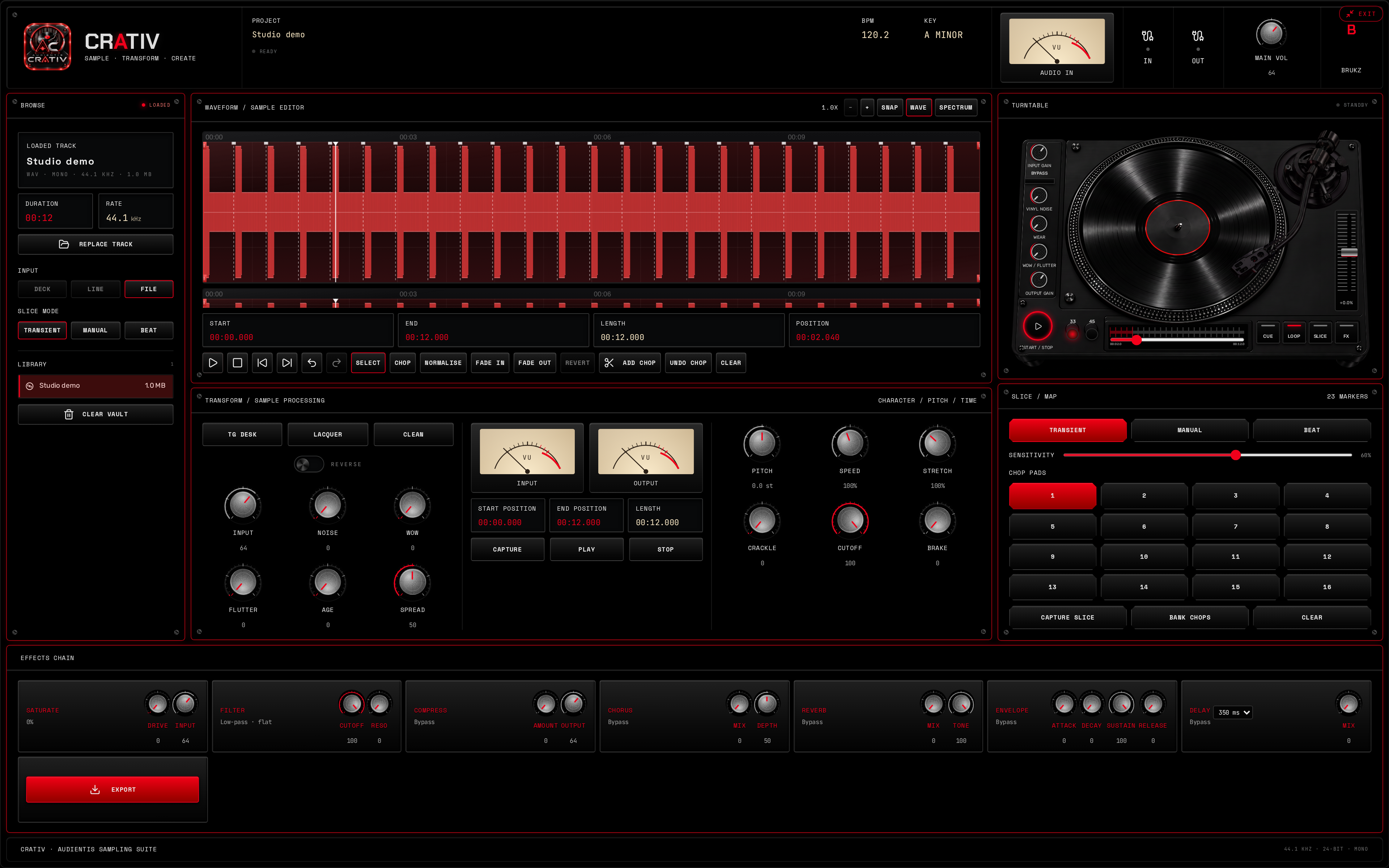
CRATIV SAMPLER brings the source vault, waveform editor, vinyl controls, playback deck, slice pads and effects together. Start with a file you own or have permission to sample — the workstation starts empty, ready for your audio.
Find the moment
Import audio and define your sample region.
Make the chops
Manual, transient and beat-based slicing.
Shape the character
Noise, crackle, wow, flutter and saturation.
Take it to your DAW
Processed 24-bit WAV export with effect tails.
Source & sample editor
FIND THE PART WORTH KEEPING.
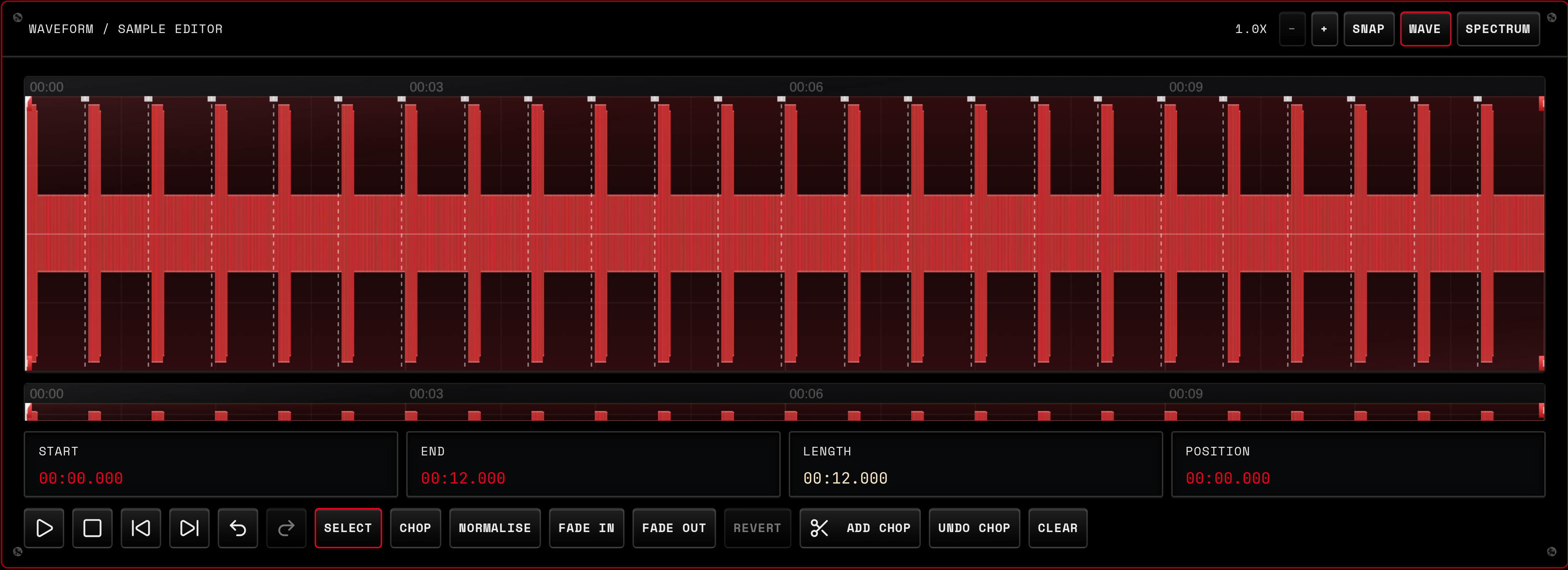
Import a recording and choose exactly where your sample starts and ends. The overview keeps the whole file in sight while the main editor lets you focus on the detail.
- Zoom, region selection, seek and chop markers
- Snap to available chop markers and detected beat positions
- Normalise, fade in and fade out the selected audio; revert recent audio edits
- Waveform and measured spectrum views after import
- Session vault for reloading imported files; undo and redo for region and slice edits
Vinyl character & transformation
GIVE IT A DIFFERENT LIFE.
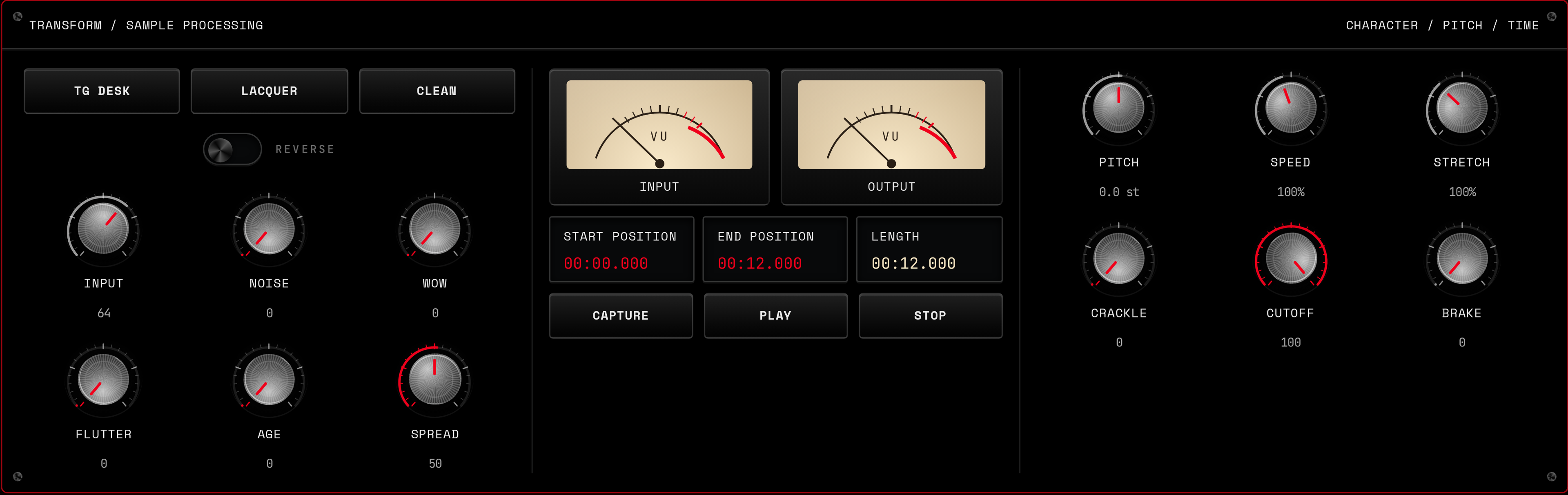
CRATIV SAMPLER processes your digital audio with vinyl-inspired character. Dial in surface noise and crackle, add wow and flutter, or keep it clean — then reshape pitch, speed and length.
- Noise, crackle, wow, flutter, age and cutoff
- Pitch, speed, stretch, reverse and stereo spread
- TG Desk, Lacquer and Clean settings as editable starting points
- Input and output gain, region capture and adjustable stop brake
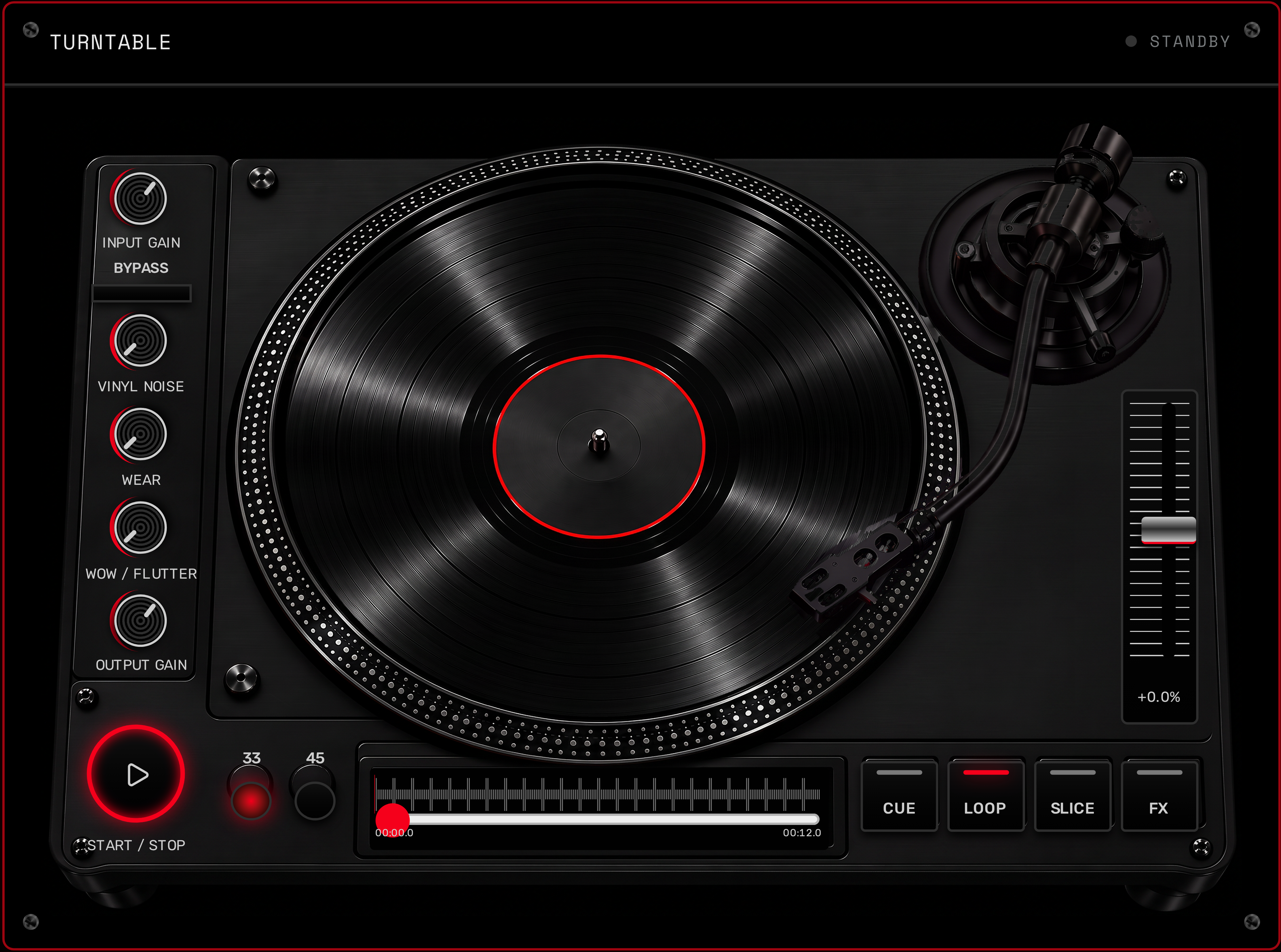
Playback deck
HEAR EVERY DECISION.
Audition the selected region on the virtual vinyl deck. Loop a phrase while you refine its tone, cue back to the start, or move through your chop points to find the next idea.
- Play, pause, cue, loop and position stepping
- Region start, end, length and playback-position readouts
- Platter animation follows playback — this is a software deck, not a physical turntable input
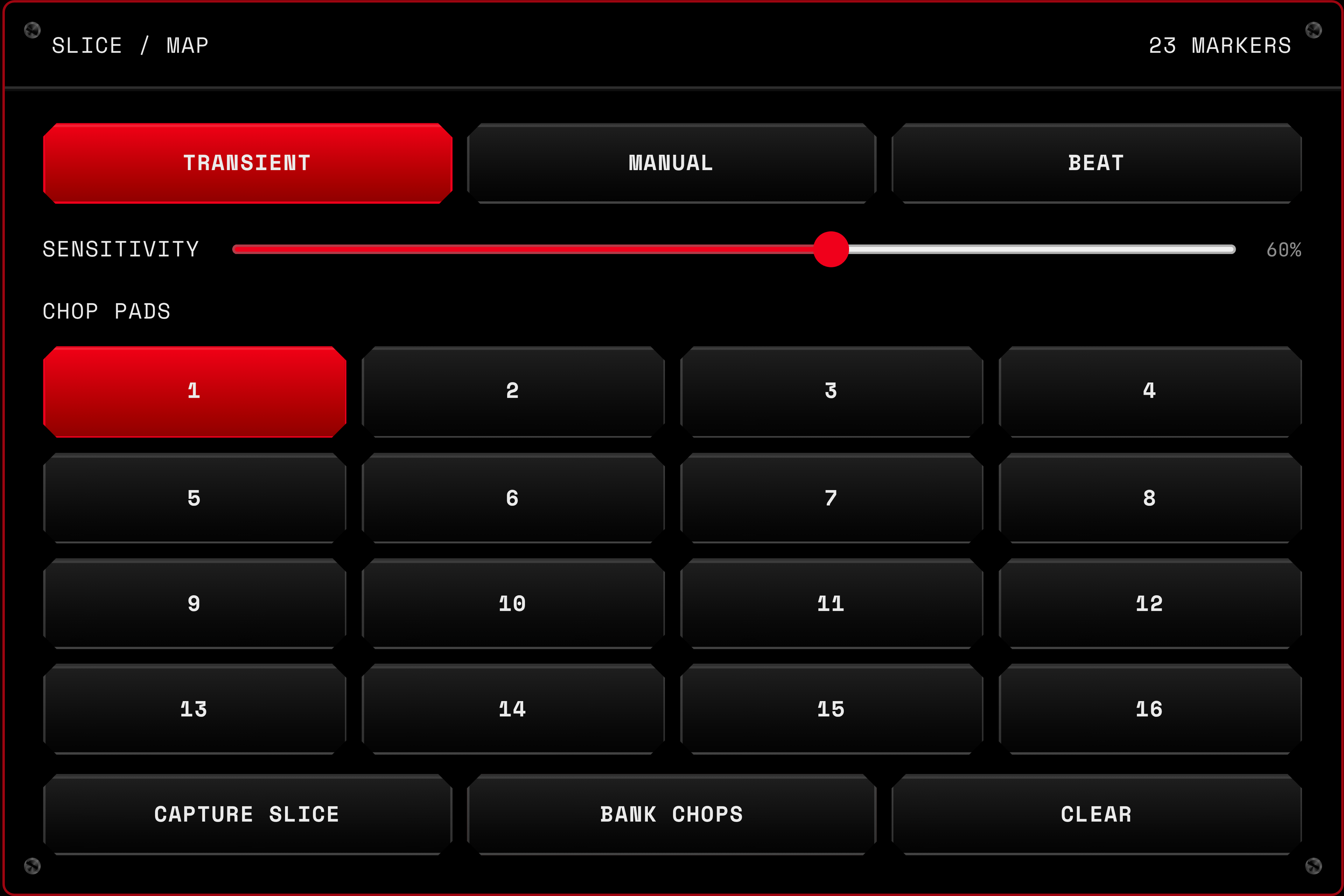
Slice mode & chop pads
ONE SAMPLE. NEW POSSIBILITIES.
Place chops yourself, find transients in the audio, or create slices from a detected beat grid. Turn those regions into a bank and audition them from the sixteen pads.
- Manual, transient and beat slicing; beat mode needs a detected tempo
- Adjustable transient sensitivity
- Capture a selected slice or bank your chop markers
- Up to sixteen playable slice regions; banks remain in the current session
Effects chain & export
FINISH THE SOUND. KEEP THE CHARACTER.
Add saturation, resonant filtering, compression, chorus, reverb and delay, then shape the selection with attack, decay, sustain and release. Export renders the processed selection with its vinyl character and effect tails, ready to import into your DAW.

- 24-bit WAV at the imported audio's sample rate
- macOS app exports through a native Save As dialog
- Browser version downloads the rendered WAV
- Standalone sampling software — not an AU or VST plugin
Specifications
COMPATIBILITY.
- macOS desktop
- Apple Silicon and Intel app builds prepared. Currently unsigned and not notarised; real-Mac launch and Save As testing remain outstanding.
- Browser
- Use desktop Chrome or Edge for the current browser workstation. Browser access remains included with Professional and Enterprise plans.
- Audio files
- WAV and formats supported by your browser or desktop audio decoder. Other formats, including AIFF, need device-level verification.
- Sources
- Local audio-file import is available. Deck and line input recording are not implemented.
- DAW workflow
- Export processed 24-bit WAV and import it into your DAW. No DAW plugin or direct DAW connection is included.
- Session storage
- The imported-file vault, slices and edits are session-based. Export your work before closing; project saving and restoration are not implemented.
Get CRATIV SAMPLER
YOUR NEXT IDEA STARTS HERE.
CRATIV SAMPLER for Mac
£95
Standalone desktop offer · one-time purchase
Desktop checkout and verified-buyer downloads are not available yet. No payment is taken from this page.
Purchase coming soon
CRATIV SAMPLER in your browser
Included with Professional and Enterprise. Keep using the existing workstation with your eligible account.